
Buying a budget laptop online can feel messy when listings refresh hourly and specs read like alphabet soup.
Smart filtering and clear targets reduce the noise, which means you lock in value without sacrificing basics that matter daily.
Decide Your Use Case and Budget
Confused shopping usually starts when you chase specs that do not serve your workload.
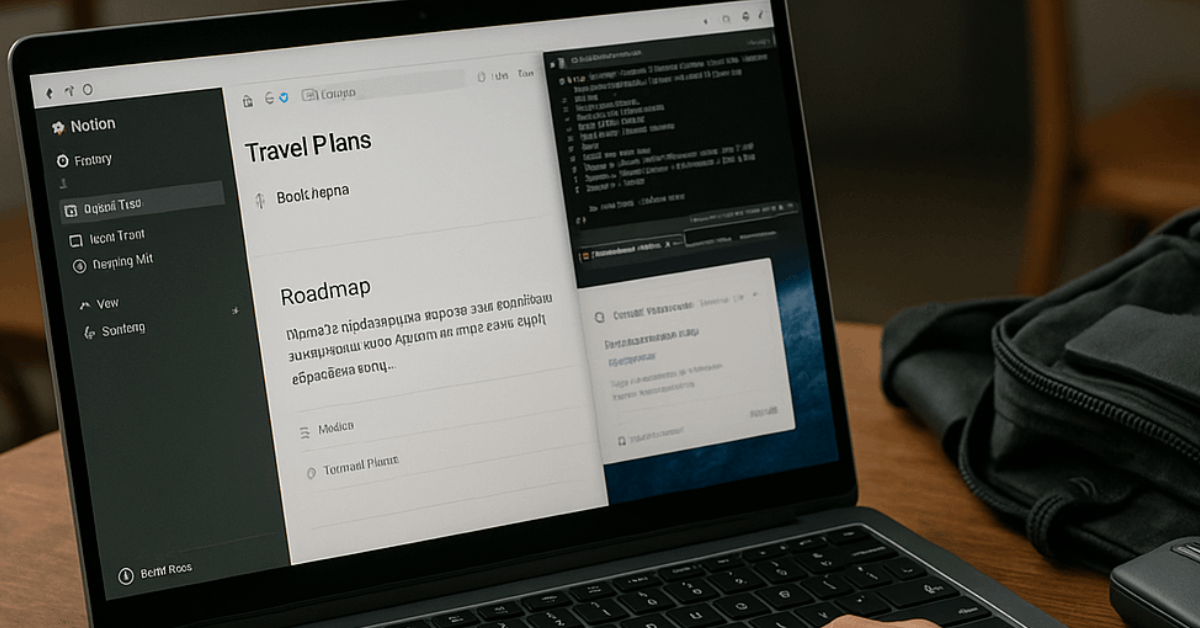
A quick match between tasks and parts keeps you honest, that way you avoid paying for performance you will never touch.
Common use cases and what to prioritize:
- Study, office, and everyday browsing: Prioritize 16 GB RAM, reliable battery life, and a bright 14-inch display. Integrated graphics are fine.
- Light creative work or coding: Aim for a modern midrange CPU, 16–32 GB RAM, fast NVMe storage, and at least a 1080p or 1200p panel.
- Gaming or heavy video editing: Choose a discrete GPU, an H/HX-class CPU, 32 GB RAM, dual-fan cooling, and 1 TB storage.
- Travel-first: Pick a thin 13–14-inch model, 1.3–1.5 kg, USB-C charging, and strong standby life.
Price bands that make sense worldwide:
- Under $300: Chromebook only; target 8 GB RAM and 64–128 GB storage.
- $300–$500: Entry Windows or Chromebook Plus; prefer Ryzen 3 7000-series or Intel Core i3-U, 8–16 GB RAM.
- $500–$700: Solid Windows ultraportables; look for 16 GB RAM and 256–512 GB storage.
- $700–$1,000: Premium screens, better build, and longer battery life become common; some discrete-GPU options appear.
Pick an Operating System
Software needs drive hardware more than branding debates. Align OS to apps and support, which in turn narrows your store shortlist fast.
- Windows 11: Widest hardware and app support worldwide, including 2-in-1s and gaming laptops. ARM-based Windows now runs most mainstream apps natively or efficiently through translation.
- macOS: Limited to MacBooks; excellent battery life and performance on Apple silicon; tight integration with iPhone and iPad.
- ChromeOS / Chromebook Plus: Best for web-first use, Android apps, and low prices; check each model’s Auto Update Expiration date.
- Linux: Great for developers and open-source enthusiasts; confirm hardware driver support and be prepared to switch apps for open alternatives.
Choose the Right CPU
Processor names can mislead when you shop quickly. Focus on generation, class, and expected power limits, so your pick matches actual performance.
- Intel (2025): Core Ultra Series 2 is current.
- V-series (Lunar Lake): Efficient, great battery life, strong integrated graphics in thin-and-light laptops.
- U-series: Budget ultraportables; acceptable for basics.
- H / HX-series: Higher power for creators and gamers; expect fans and weight.
- Qualcomm (Snapdragon X): X, X Plus, and X Elite bring long battery life and strong everyday speed to ARM-based Windows laptops; pricing is often aggressive in the midrange.
- AMD (Ryzen 8000/9000 mobile families): Competitive multi-core options and compelling integrated graphics; select HX/H parts for gaming or content creation; some “Ryzen AI” variants emphasize on-device AI acceleration.
- Apple (M-series): M4, M4 Pro, and M4 Max power current MacBooks; older M1/M2/M3 models remain viable when found refurbished or discounted.
How Much Power You Actually Need
Overspec’d machines drain wallets and batteries. Map work to parts, and you stop second-guessing the cart.
- Email, docs, 30+ browser tabs: Intel Core Ultra V-series, Snapdragon X/Plus, or Ryzen U/H; 16 GB RAM; 256–512 GB SSD.
- Light Lightroom, programming projects, or Notion plus VMs: Intel H-class or Ryzen H; 32 GB RAM recommended; 512 GB SSD minimum.
- 4K video edits or modern 3D games: Intel HX or Ryzen HX, discrete RTX 4060 or better, 32 GB RAM, 1 TB SSD, high airflow chassis.
Graphics: Integrated vs Discrete
Casual use thrives on integrated GPUs today. Demanding games and accelerated creative apps still benefit from a dedicated GPU, which means higher weight, cost, and lower unplugged runtime.
- Integrated graphics fit: office work, streaming, casual indie games, and light photo editing.
- Discrete graphics fit: AAA gaming, Blender, Resolve, Unreal, and heavy After Effects; aim for 12 GB VRAM or more on midrange cards to keep new titles smooth.
Memory (RAM)
Insufficient memory creates slowdowns that no CPU can hide. Set a floor that keeps your laptop responsive for years, which helps your budget last longer.
- Windows and macOS: Treat 16 GB as the baseline in 2025.
- Chromebooks: 8 GB is acceptable; 16 GB on Chromebook Plus models feels great.
- Upgrades: Many thin laptops solder RAM; confirm expandability on product pages or pick an upgrade-friendly chassis.
- Speed: LPDDR5X or DDR5 is common; prioritize capacity first, then speed.
Storage
Online deals often cut prices by shrinking storage. Balance local needs and cloud use, so you avoid constant juggling.
- Baseline: 256 GB NVMe SSD works for most people; creators and gamers should choose 512 GB–1 TB.
- eMMC caution: Common on low-cost models and usually non-upgradeable; performance trails NVMe.
- Expansion: A fast USB-C portable SSD adds painless headroom at modest cost.
Display and Size
Poor screens cause fatigue and regret. A few quick targets secure clarity and comfort, which leads to better daily use.
- Sizes: 14 inches offers the best balance for most buyers; 13 inches maximizes portability; 16–18 inches serve power users and gamers.
- Resolution: Prefer 1920×1200 minimum; 2560×1600 looks sharper on 13–16-inch panels.
- Refresh rate: 90–120 Hz enhances smoothness on premium ultraportables; 144–240 Hz suits gaming.
- Panel tech: IPS is fine; OLED delivers deep blacks; Mini-LED provides high HDR brightness.
- Brightness: Target 300–400 nits for indoor flexibility; higher is helpful outdoors.
Ports, Charging, and Connectivity
Adapters add clutter and cost. A quick port check avoids daily friction, which in turn keeps your setup simple.
- USB-C power delivery: Prefer laptops that charge over USB-C for universal chargers and power banks.
- Thunderbolt / USB4: Useful for fast storage and multiple displays; Thunderbolt 5 appears on high-end models.
- Legacy ports: USB-A and HDMI still help in classrooms and meeting rooms.
- Creator extras: Full-size SD card slots save time; 2.5G Ethernet helps low-latency gaming.
- Chargers: Stick to reputable brands or the manufacturer’s unit to protect batteries.
Build Quality Essentials
Tiny design choices shape everyday comfort. Simple checks prevent annoyances that reviews sometimes gloss over.
- Webcam: Prefer 1080p or higher resolution; newer models feature 5–12 MP sensors.
- Hinge and lid: Smooth one-hand open and minimal wobble indicate sturdier construction.
- Keyboard and trackpad: Seek a crisp click, quiet actuation, and a glass touch surface; haptic trackpads feel precise when implemented well.
- Speakers: Four or six-speaker systems sound fuller than basic stereo; still plan on earbuds for focus.
Where to Buy Cheap Laptops Online
Retail pages change frequently, and “list prices” can be misleading. Casting a wide net improves outcomes, which means comparing real configurations rather than relying on headline discounts.
- Manufacturer stores: Dell, Lenovo, HP, Asus, Acer, Microsoft, Apple, and others often run direct promotions and student pricing.
- Authorized retailers: Large marketplaces and specialist shops worldwide carry exclusive configs; examples include Amazon, Best Buy, B&H, Newegg, Currys, Ebuyer, MediaMarkt, JD/Tmall, Flipkart, Lazada, Shopee, and Harvey Norman.
- Refurbished and renewed: Certified refurb programs and reputable resellers deliver strong value, especially on previous-gen MacBooks and business-grade Windows laptops.
- Education and corporate portals: Student, teacher, and employee stores frequently undercut public pricing.
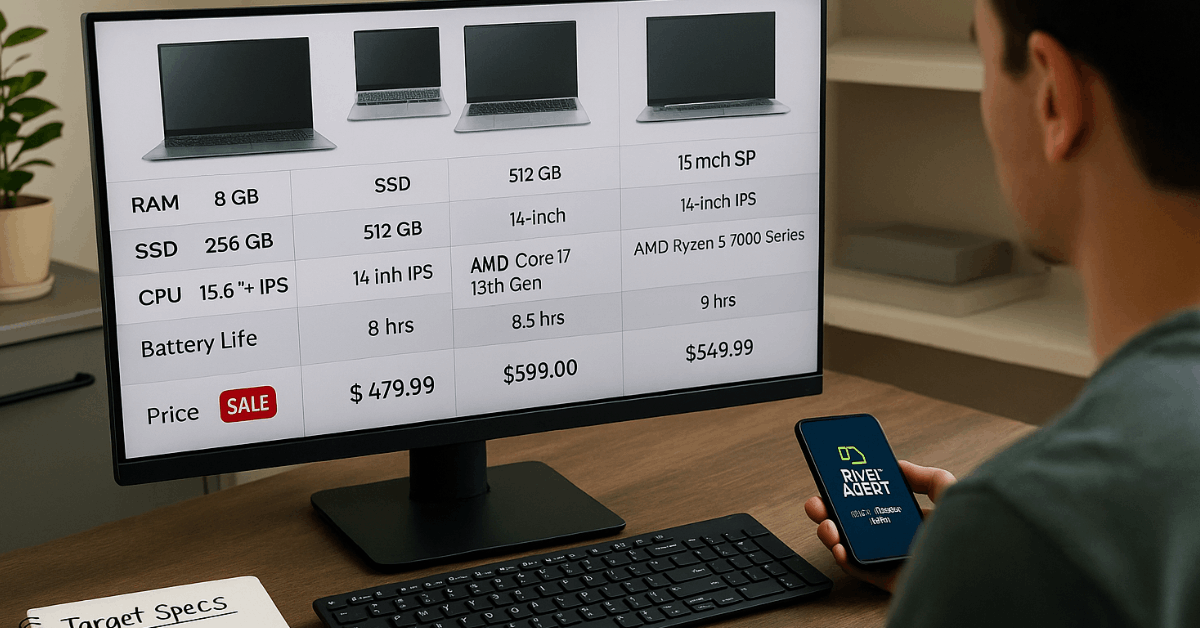
- Comparison method: Match CPU, RAM, storage, screen spec, and warranty line-for-line before judging price.
Timing and Deal Strategy
Good prices cluster around global events rather than random Tuesday afternoons. A simple calendar and alerts catch dips early, as a result, you avoid panic buys.
- Watch windows: Back-to-school periods, major shopping festivals like 11.11, Black Friday, and Cyber Monday, and brand-specific anniversary sales.
- Set alerts: Track desired SKUs across two or three retailers to spot genuine discounts.
- Generation check: Confirm CPU and GPU generations to avoid old stock disguised as “new.”
- Chromebook AUE: Verify the automatic update expiration date for peace of mind on long-term security.
What to Avoid on Budget Listings
Marketing terms hide compromises that hurt daily use. A quick red-flag rundown saves returns and headaches.
- 4 GB RAM on Windows machines in 2025.
- Spinning hard drives (HDDs) instead of NVMe SSDs.
- 1366×768 displays on 14–15-inch models.
- Very old CPUs such as Intel Celeron/Pentium or unlisted generations.
- Unclear seller fulfillment on marketplaces; prefer direct or authorized sellers.
- Short or vague warranties on no-name brands.
- Too-good “doorbusters” that lack part numbers or full specs.
Quick Picks at Common Budgets
Sales move fast and models rotate worldwide. Spec targets help you grab real deals without waiting for single-brand recommendations.
- Under $300: Chromebook with 8 GB RAM, 64–128 GB storage, 15.6-inch 1080p or 14-inch 1200p panel, and 300-nit brightness if possible.
- $300–$500: Chromebook Plus or Windows laptop featuring Ryzen 3 7320 or Intel Core i3-U, 8–16 GB RAM, 256 GB NVMe, Wi-Fi 6, and USB-C charging.
- $500–$700: Windows ultraportable with 16 GB RAM, 512 GB storage, and a modern CPU such as Core Ultra V, Snapdragon X/Plus, or Ryzen 7 U/H; 14-inch 1920×1200 or 2560×1600 display.
- Around $1,000: Thin OLED or Mini-LED screens, 16–32 GB RAM, 512 GB–1 TB storage, and premium build; creators can add an RTX 4060-class GPU on sale.
- Longevity pick: Modular or upgradeable laptops that allow RAM and SSD swaps extend usable life and reduce e-waste.
Final Checklist Before You Click “Buy”
Fast last checks prevent mismatches that photos and banners hide. Run through this list, and your chances of getting real value rise sharply.
- Exact configuration match: CPU generation, RAM capacity, SSD size, panel type, resolution, and refresh rate.
- Battery and weight: Confirm rated watt-hours and listed kilograms for your travel needs.
- Ports: Verify USB-C charging, external display support, and any creator-specific slots.
- Warranty and return policy: Look for at least one year of coverage and straightforward returns.
- Seller credibility: Stick to authorized or highly rated sellers to protect, support, and service.
You now have a simple playbook that translates jargon into clear targets and reliable sources for buying worldwide. Set alerts on two or three candidates, compare configurations line by line, and pounce when the numbers align.
Conclusion
Set a clear use case and budget, then match OS, CPU class, RAM, storage, display, and ports to it.
Use price alerts around back-to-school and major sales, verify component generations and Chromebook AUE dates, and confirm seller credibility.
Run the final checklist on configuration, battery, weight, charging, and accessories to avoid hidden compromises. Do this, and you secure a laptop that delivers everyday value at the right price.