Keeping a clean backup of your TikTok work protects your brand, preserves options across platforms worldwide, and prevents last-minute scrambles when policies shift.
U.S. enforcement dates have moved several times in 2025, so maintaining local copies is the safest play for creators everywhere.
Status Check: What Has Changed?
Deadlines keep moving, therefore you should not wait to archive important videos and project files.
- January 17, 2025: The U.S. Supreme Court upheld the divest-or-ban law targeting TikTok.
- January 19–24, 2025: App-store removals began, then availability fluctuated while service partially returned for existing installs.

- February 13–14, 2025: Apple and Google restored TikTok in U.S. app stores.
- June 19, 2025: The White House extended the non-enforcement period to September 17, 2025, keeping the app operational in the U.S. for now while availability can differ worldwide.
- July 31, 2025: Ongoing coverage confirmed the ban timeline remained extended as stakeholders weighed next steps.
Why Backing Up Your TikToks Still Pays Off
Losing access creates gaps in your portfolio, which means a full archive keeps momentum across platforms worldwide.
- Protect your brand history: Milestones, formats, and story arcs stay visible for sponsors and new followers.
- Repurpose efficiently: Cut vertical clips for Reels, Shorts, and site embeds to sustain reach during transitions.
- Show real work: Client or partner shortlists look stronger when you control the original files.
- Keep audience insights: Saved comments and basic metrics inform hooks and edits worth repeating elsewhere.
Method 1: Save Videos Manually in the App
Small libraries benefit from precise saves, which means you decide exactly what to keep at peak quality.
- Open your profile and select a post.
- Tap Share → Save video.
- Check your gallery for the MP4 file.
Watermark Notes That Affect Your Workflow
Some creators can export their own videos without a watermark using TikTok’s “save without watermark” option during the posting workflow, and availability varies by account and region.
Most standard saves add a watermark unless you export pre-posting or your account has the no-watermark save option enabled. Plan to keep originals from your editor as master files to avoid surprises.
Method 2: Bulk-Download Using TikTok’s Data Request
Large libraries need speed, therefore the official export delivers everything in one package.
Steps:
- Go to Profile → Menu → Settings and privacy.
- Open Account → Download your data.
- Choose Profile and posts, select the file format, then Submit request.
- Return to Download your data to fetch the file when it is ready; the file remains available for a limited time.
Trade-Offs
Expect lower resolution and watermarks on many downloaded clips, so treat the archive as a safety net and re-save hero posts manually for cleaner copies.
Method 3: Use Third-Party Downloaders
Security matters, which means you should avoid tools that demand logins, browser extensions with excessive permissions, or installers you do not trust.
Favor reputable web tools, scan files, and respect copyright and local laws worldwide. Many services break when TikTok changes delivery methods, so quality can vary week to week.
Eight free, no-install link-paste options:
- SnapTik— Simple paste-and-download for MP4; mirror domains may appear when primary domains throttle.
- MusicallyDown — Web downloader that also supports MP3 extraction.
- SSSTikTok — Browser-based downloader with “no watermark” output options.
- TTDownloader — Web app offering watermark and no-watermark variants.
- ExpertsPHP — Long-running multi-site downloader that includes TikTok.
- SaveTT — Web downloader supporting MP4 and MP3 saves.
- TikMate — Alternative web service for no-watermark MP4 downloads.
- TikTok Downloader (Chrome extension) — Bulk options exist, yet extensions increase risk; prefer web tools unless you fully trust the developer.
Good-Practice Checklist
You reduce risk when you follow a few hard rules, which in turn keep your accounts and devices safe.
- Use a temporary browser profile, then clear cookies after downloads.
- Never provide a TikTok password to any third-party site.
- Confirm permission before saving content created by others.
- Scan downloaded files with a reputable antivirus before opening.
- Prefer web tools over extensions unless the developer is fully vetted.
If ByteDance Tools Become Restricted in Your Region
Editor access can change quickly; therefore, you should export project files now and prepare a backup editor that matches your workflow.
- CapCut users: Export active projects, templates, and cached media to local storage to prevent data loss during policy shifts.
Alternative editors:
- Captions — Fast captioning, punch-ins, sound effects, B-roll, and social-first cuts for quick shorts pipelines.
- Wondershare Filmora — Larger template and asset library, translation for multi-language captions, and watermark-free exports on paid tiers.
Policy note: Discussions have occasionally linked CapCut to TikTok in the U.S. policy debate, yet access remains available during the current extension through September 17, 2025; keep monitoring official updates in your country.
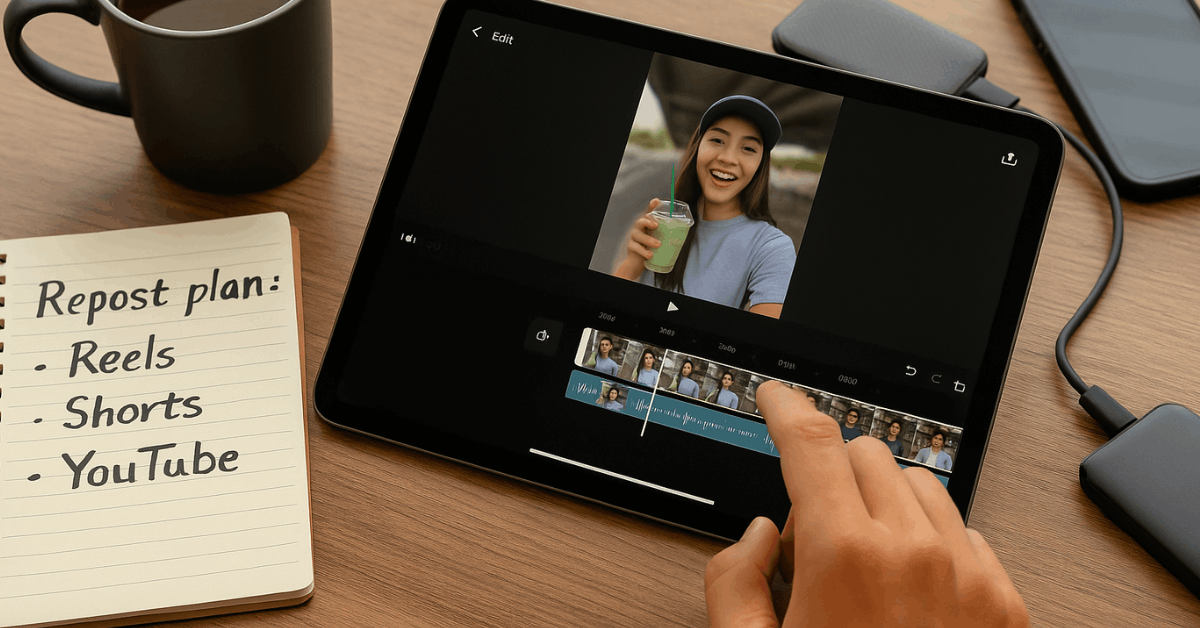
Bonus: Reverse a Clip in Filmora
Simple reverses fix timing gags or reveal tricks, which means older posts can feel fresh on new platforms.
- Import the downloaded MP4 into Filmora.
- Place the clip on the timeline and right-click.
- Choose Speed → Reverse, then adjust speed if needed.
- Export in 9:16 at your target frame rate.
FAQs
Still unsure about downloads, watermarks, and safety? Here are fast answers you can act on today, which means fewer mistakes and cleaner archives.
- Do downloaded TikTok videos include watermarks?
Manual saves often include a watermark, and certain accounts can use “save without watermark” during the upload workflow when the feature is available. Data-export files typically include watermarks and may arrive at a lower resolution. - Can you bulk-download everything?
Your own posts can be fetched through Download your data, and the file remains available for only a short time once prepared, so plan your pickup window carefully. - What happens if TikTok becomes inaccessible in a region?
Previously saved videos and exported data remain usable, and re-uploads to other platforms can continue. U.S. enforcement is currently delayed to September 17, 2025, while availability varies worldwide. - Are third-party download tools safe?
Risk varies widely, and extensions carry higher risk than one-off web tools. Choose no-login sites, avoid APKs and untrusted extensions, and scan files before opening. When uncertain, fall back to official saves or your editor’s original exports..
Conclusion
Only download or reuse content you own or have rights to use. Platform terms and copyright rules differ worldwide, so obtain permission before reposting someone else’s video.
Start with Method 1 for your most important posts, run a Download your data request in parallel for insurance, and move finished masters into a clear folder structure that mirrors your posting calendar; that way, your library stays publish-ready on any platform.