Paying full price is unnecessary when countless boards, switches, and keycaps now reach buyers worldwide. Use this guide to find low-cost options and choose parts that deliver long-term value.
Why Mechanical Keyboards Are Worth It
You type for hundreds of hours each year, so a better board improves comfort, speed, and control. Mechanical keyboards utilize individual switches instead of rubber domes, providing a consistent feel, faster response, and significantly improved durability.
Types
Switches come in three broad types that you can target even on a budget. Linear switches feel smooth through the stroke. Tactile switches add a bump you can feel. Clicky switches add a bump and an audible click.
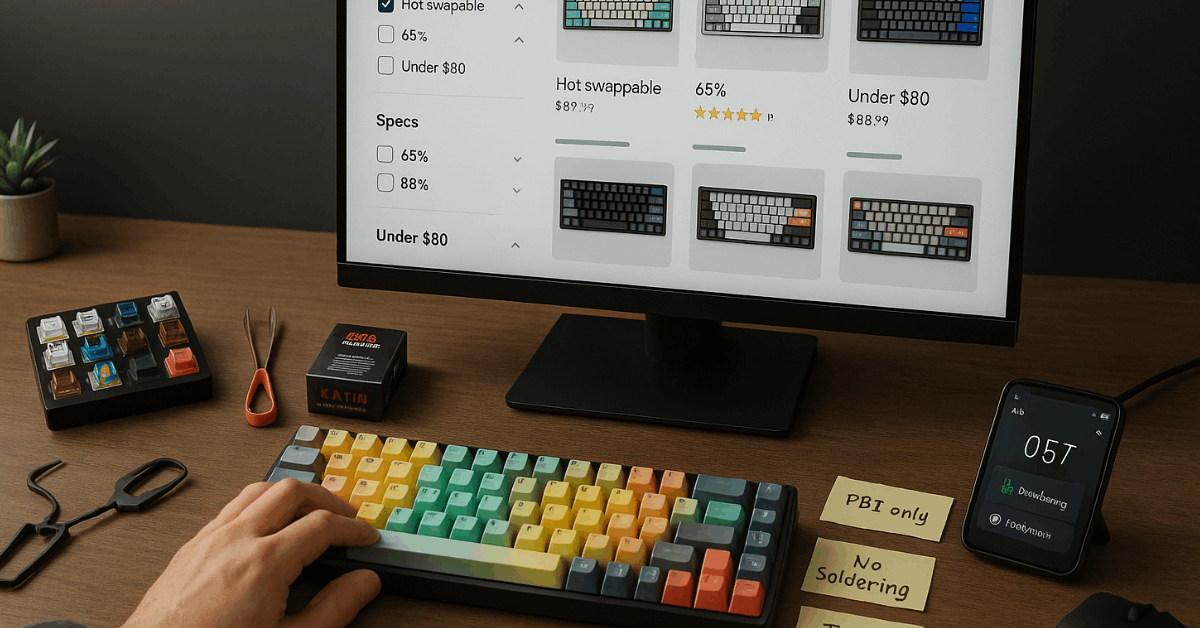
MX-style options from Kailh and other makers offer excellent value, wide availability, and easy keycap compatibility, which keeps your upgrade path open.
Hot-Swap PCBs
Hot-swap PCBs let you change switches without soldering, so you can try linear, tactile, or clicky later instead of replacing the whole board.
Many budget models also support N-key rollover, letting multiple presses register at once during games or fast typing.
Where to Buy Cheap Mechanical Keyboards
High prices hide in plain sight on premium sites, which means the channels below give you consistent value worldwide:
Direct Brand Stores and Budget Lines
You get frequent discounts and bundles on value ranges such as Epomaker’s TH series and Ajazz models. Hot-swap sockets, Bluetooth or 2.4 GHz, and PBT keycaps now appear even in entry tiers, so you pay less without losing core features.
Specialist Retailers
Shops such as the Mechanical Keyboards store and WASD Keyboards stock switch testers, clearance items, and ANSI/ISO options, helping you match parts precisely and avoid costly returns.
WASD also lets you customize case, legends, and layout, which reduces later accessory spend.
Community Marketplaces
Forums like Geekhack, KeebTalk, and Reddit’s Mechanical Keyboards communities often list used, open-box, or “B-stock” boards at meaningful discounts.
You can verify layouts, switches, and conditions through photos and timestamps, which keeps risk manageable.
Limited Runs and High-End Makers
Brands like RAMA WORKS and HHKB sell premium gear that is rarely considered affordable. You still benefit by watching second-hand listings, where lightly used units appear when group-buy hype cools down.
Pick Value Features That Keep Costs Down
Paying less should not mean compromising feel and function; therefore, prioritize the features below while skipping vanity extras.
Switches
You avoid brand premiums by picking MX-compatible alternatives such as Kailh, which offers linear Reds, tactile Browns or Coppers, and clicky Whites that match well-known Cherry behaviors.
MX-compatibility ensures broad keycap support and easy future upgrades.
If silence matters, avoid loud clicky options in shared spaces and choose tactile or linear variants.
Layouts
You reduce price and footprint by choosing smaller layouts. Tenkeyless drops the numpad for better mouse room.
Seventy-five percent keeps the function row while shrinking gaps. Sixty-five percent retain arrow keys yet lose most navigation keys. Sixty percent removes arrows and navigation entirely.
If you enter numbers all day, a full-size or a separate numpad makes more sense than forcing a compact layout that slows you down.
ANSI or ISO
You likely save money and gain choice by sticking to the standard you already use. ANSI tends to have wider keycaps and case availability worldwide, which lowers replacement and customization costs.
Keycaps
PBT caps resist shine and feel slightly textured. ABS double-shot caps offer vivid legends but can polish over time.
Profile shapes such as SA (taller, sculpted) and DSA (lower, uniform) are preference calls; prioritize compatibility kits that include the right widths for Shift, Ctrl, and Space to avoid hunting for rare sizes later.
Smart Tactics to Pay Less
Deals vanish quickly during sales and restocks, so use the following tactics to catch them reliably:
- Track your actual key usage for two to three weeks using a keystroke logger, then size down confidently to a 65% or 75% if your data shows minimal nav or numpad use, which directly cuts cost and desk clutter.
- Prefer hot-swap boards so you can start cheap and upgrade switches later, which spreads spending across months instead of one purchase.
- Buy switch tester packs to avoid full returns and wasted shipping, that way you pick the feel you like before committing.
- Hunt B-stock, open-box, and last-gen revisions on brand sites and specialist retailers, because tiny cosmetic flaws rarely affect typing.
- Watch community buy/sell threads for lightly used units, then pay via secure methods and ask for current photos to reduce risk.
- Stick to MX-stem switches for the broadest keycap compatibility, which avoids niche costs when replacing legends or profiles.
- Choose wired models when the budget is tight, since multi-mode wireless usually adds cost without improving typing feel.
Budget-Friendly Models to Target
Choosing a model gets easier when you map size to use-case; therefore, start with these well-priced options referenced in the source list:
| Model | Size / Layout | Best For | Key Points | Price Tier |
| Ajazz AK35i | Full size (104-key) | Everyday typing where a numpad matters | Hot-swappable 3-pin switches, double-shot ABS shine-through, volume knob, NKRO, basic software macros | Budget |
| Epomaker TH80 | Tenkeyless | First hot-swap build under a tight budget | Tri-mode connectivity, Gateron Pro options, south-facing LEDs, software for lighting and remaps, long switch lifespan | Budget |
| Epomaker TH66 | 65% | Compact gaming and work setups | Tri-mode connectivity, 3- and 5-pin hot-swap sockets, gasket-influenced structure, PBT MDA keycaps for comfortable height | Budget–Mid |
| Epomaker TH96 | 96% compact with numpad | Data entry without full-size footprint | Hot-swappable, QMK/VIA version for flexible remaps, sturdy steel plate for stability, PBT keycaps with MDA or MDA v2 profiles | Mid |
| Ajazz K620T V2.0 | 60% | Tablet and multi-device productivity | 4,400 mAh battery, tri-device switching across iOS/Android/Windows, hot-swappable, travel-friendly PBT caps | Budget |
| Qeekestudio KR-081 | TKL | Premium feel when you plan a splurge | Gasket mount, foam and silicone dampening, Gateron switches, tri-mode connectivity, hot-swap terminals for easy tuning | Splurge |
Brands, Stores, and Communities to Know
Too many names can overwhelm new buyers, which means a tight shortlist helps you shop faster:
- WASD Keyboards: Customizable ANSI/ISO boards, legend options, and thoughtful cable routing that reduces desk mess and adapter costs.
- Mechanical Keyboards (retailer): Broad switch and board selection, plus guides and testers that help you avoid mismatches.
- Epomaker and Ajazz: Value-focused lines with hot-swap sockets and multi-mode wireless that frequently go on sale.
- HHKB and Realforce: Topre-switch boards valued for unique tactility; watch second-hand lists if you want that feel for less.
- ErgoDox EZ: Split, programmable, and hot-swappable ergonomic option; used units appear regularly in community marketplaces.
- Signature Plastics / Pimp My Keyboard: Quality ABS double-shot and PBT dye-sub keycaps in multiple profiles for affordable refreshes.
- Kailh (switches): MX-compatible linear, tactile, and clicky options, including Box and Speed variants that deliver performance at lower cost.
- RAMA WORKS: High-end cases and boards; best targeted on resale when prices dip after initial demand.
- Geekhack, KeebTalk, r/MechanicalKeyboards: Active communities for reviews, troubleshooting, and safe-trading etiquette.
Care and Upgrades That Stretch Your Budget
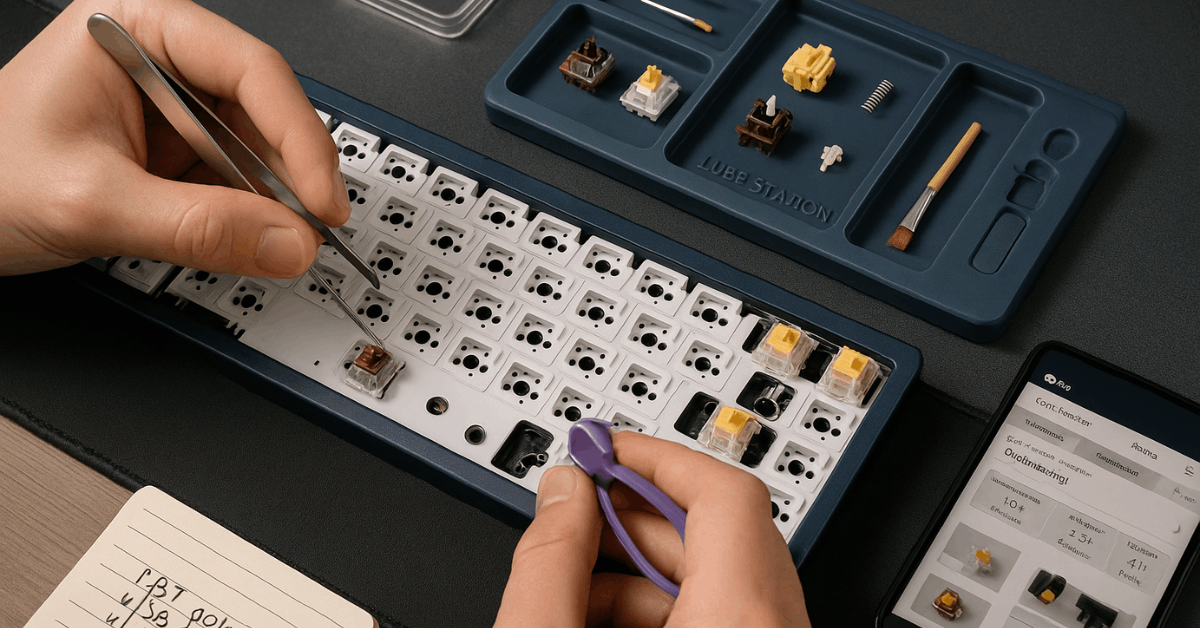
Cheap boards can feel premium after a few upgrades, as a result focus on maintenance and simple mods that stretch value.
Cleaning and Upkeep
You extend lifespan and preserve feel by removing keycaps periodically, blowing out dust, and wiping surfaces with isopropyl-dampened cloths. Routine cleaning keeps stabilizers consistent and prevents grit from altering switch sound.
Sound and Feel Tuning
You gain smoother strokes by correctly lubing switches and stabilizers, following common mistakes guides to avoid over-lubing or contaminating leaf springs.
O-rings shorten travel and slightly soften bottom-out, which can reduce fatigue on long sessions.
Connectivity and Cabling
You keep costs down by choosing wired first, then adding affordable coiled or straight detachable cables for strain relief and desk organization.
If you switch devices often across laptops and tablets, tri-mode boards offer convenience, yet a single reliable USB-C cable remains the lowest-cost solution.
Keycaps and Compatibility
You can refresh the look and feel by swapping to PBT sets in the profile you prefer. Verify unit sizes for spacebar, Shift, Ctrl, and modifiers, since sets with the right extras prevent expensive one-off cap purchases.
Layout Refinement
You improve comfort without buying a new board by remapping keys or layers, especially on programmable or QMK/VIA-capable models. If you need a numpad only sometimes, adding a separate 21-key pad is often cheaper than moving to a full-size one.
Conclusion
Set a clear budget and target use, then pick a layout and switch feel that match your typing so you avoid paying for features you will not use. Favor hot-swap PCBs, MX-compatible switches, and PBT keycaps to keep upgrades simple and inexpensive over time.
Shop brand-direct value lines, specialist retailers, and vetted community marketplaces worldwide, verify specs, and use switch testers or B-stock deals so you cut risk while keeping costs low.
Maintain the board with basic cleaning and small tuning, refine layers or add a separate numpad when needed, and you end up with long-term comfort and performance at a sensible price.